Jinling Yuanbao
Desktop pet · User manual · version 0.9.11 · 2026-09-21

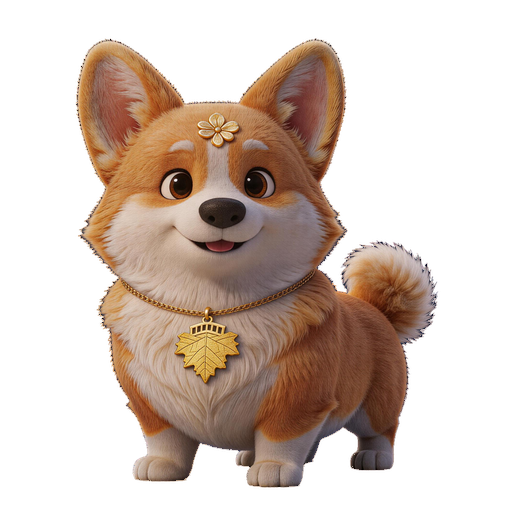
Two little companions that live on your desktop: a cool-headed orange cat and an eager corgi. They stroll around, nap, interact with each other, and they can understand what you say.
1. Meet them
Eager, chatty, loves attention. Call him and he answers right away. His favourite treat: 🍖 A meaty bone。
Aloof, sparing with words, every word counts. He only pays attention when he feels like it. His favourite treat: 🐟 Dried little fish。
2. Play with them
| Action | What it does |
|---|---|
| 👆 Poke it | turns to look at you, shows an emotion (angry / smug / sad / blink, random) |
| 🖐 Pet it (hold the mouse down) | wags happily and talks; the cat purrs |
| 🍖 Feed it | eating animation + a line (each pet has its own food) |
| 🖱 Drag it | it gets carried wherever you drop it (it won't wander off mid-drag) |
| 🖲 Mouse wheel | scroll on it = bigger / smaller (each pet can have its own size) |
| 🐾 Strolls on its own | takes a walk every few minutes; turns around at the screen edge |
| 🧗 Edge stroll | say "climb" / "hug the edge" / "along the edge", or click that skill cell: it strolls along the screen edge, jumping over to the edge first if it isn't there yet |
| ❓ Riddle | say “riddle” or click that skill cell: it tells you a riddle, and you say the answer while holding 🎤 (you can also say “hint” or “answer”) |
| 🔮 Daily fortune | it draws and reads a daily fortune once a day; say “fortune” or click the skill cell to draw again (same pet, same day → same sign) |
| ⏱ Focus companion (pomodoro) | say “focus” / “pomodoro” or click the skill cell: one click starts a 25-minute focus session, and the pet sits quietly with you (no wandering, no chatting, no napping); when time is up it reminds you to take a 5-minute break, and says one more line when the break ends; click again (or say “stop focusing”) to end early |
| 🎭 Skit theater | say “skit” / “slacking” / “play a scene” or click the skill cell: it performs a 3–4 line mini skit on the spot (only when you click or ask — it never cuts in on its own); with both pets present they act together, with just one it reads all the lines itself |
| ⚽ Ball chase | say “ball chase” / “kick the ball” or click the skill cell: it kicks the ball away, then chases it back itself |
| 📸 Screenshot | captures the desktop, saves it to Pictures\金陵元宝截图 on this PC, and also copies it to the clipboard so you can just Ctrl+V paste it |
| ✂️ 框选 | drags out a region and captures just that part (Esc / right-click cancels); it is saved to Pictures\金陵元宝截图 on this PC and copied to the clipboard as well |
| 😴 Naps on its own | falls asleep after being idle; wakes when called or petted |
| 👀 Follows your eyes | when the mouse is nearby it looks at you (head-turn animation) |
| 🕐 You're back | Come back after a while and it comes over to greet you (it wakes up if it was asleep). Can be turned off in Settings → Display. |
| 🪑 Sitting too long | If you sit too long it nudges you to get up and look into the distance. Can be turned off in Settings → Display. |
2′ Click and watch it perform
Pick a pet first, then click a skill below — the one on your desktop will do it right away(Just a try-out — no settings are changed.) If it isn't on screen it will be called back first.
3. Talk to them (voice)
Two ways in:"Voice" in the right-click menu, or ⚙️ on the pet → Skills → Voice (the second one opens the scene panel).
Scene panel
Command list (you don't have to say it exactly — close enough works). Speak English when the interface language is English. Note: poem titles are Chinese, so say "recite" first and the title in Chinese; and for English speech please use a multilingual engine (SenseVoice / whisper.cpp / cloud) — the local Paraformer model only understands Chinese.
| Skill | You can say | Speaks by default |
|---|---|---|
| hello ▶ Try | “hello” / “hi” / “hey” | speaks |
| 🍖 Chow time ▶ Try | “eat” / “time to eat” / “food” | speaks |
| 😴 Nap ▶ Try | “sleep” / “go to sleep” / “take a nap” | bubble only |
| ☀️ Wake up ▶ Try | “wake up” / “get up” / “wakey wakey” | speaks |
| 🏃 Come here ▶ Try | “come here” / “come” / “come to me” | speaks |
| 🤫 Hush ▶ Try | “quiet” / “be quiet” / “shush” | bubble only |
| ⤴️ Hop ▶ Try | “jump” / “jump up” / “hop” | speaks |
| 🖐 Feeling happy ▶ Try | “pet” / “pet you” / “pat” | speaks |
| ✋ Stop ▶ Try | “stop” / “stop it” / “stay” | bubble only |
| 😉 Blink ▶ Try | “blink” / “wink” / “blink once” | bubble only |
| 😏 Smug ▶ Try | “smug” / “show off” / “be smug” | speaks |
| 😠 Grumpy ▶ Try | “angry” / “get angry” / “be angry” | speaks |
| 🥺 Teary ▶ Try | “sad” / “be sad” / “act sad” | speaks |
| 🐾 Stroll ▶ Try | “walk” / “take a walk” / “go for a walk” | speaks |
| ⚽ Ball chase ▶ Try | 「追球」 / 「踢球」 / 「玩足球」 | speaks |
| 📸 Screenshot ▶ Try | 「截图」 / 「截个屏」 / 「拍个屏」 | speaks |
| ✂️ Snip ▶ Try | 「框选」 / 「截个区域」 / 「区域截图」 | speaks |
| ⬅️ Go left ▶ Try | “go left” / “turn left” / “left” | bubble only |
| ➡️ Go right ▶ Try | “go right” / “turn right” / “right” | bubble only |
| ⭕ Spin around ▶ Try | “walk a circle” / “circle” / “go around in a circle” | speaks |
| 🐍 Snake trail ▶ Try | “walk an s curve” / “s curve” / “snake” | speaks |
| 🧗 Edge stroll ▶ Try | “climb” / “climb the wall” / “climb up” | speaks |
| ❓ Riddle ▶ Try | 「猜谜」 / 「猜谜语」 / 「猜个谜」 | speaks |
| ⏱ 专注陪伴 ▶ Try | 「专注」 / 「番茄钟」 / 「开始专注」 | speaks |
| 🎭 Skit theater ▶ Try | 「小剧场」 / 「摸鱼」 / 「演一段」 | speaks |
3′ Chat (experimental · local small model)
When it doesn't catch your command or a skill, it answers you freely with a small model running on your own machine — not a canned line, but a real reply.
How to turn it on
- Settings → Voice → Intent understanding → turn on “Chat ability” (local small model)
- Click “Download model” (one-off: 0.6B ≈ 378MB, 1.7B ≈ 1.06GB) — once it is downloaded the button turns into “✓ Downloaded” and the status line says so, so you will not download it twice.
- Click "Warm up" to load the model into memory first — replies come faster afterwards. You can skip it, but the very first line waits about 6–8 seconds.
Which size to pick
| Size | Traits |
|---|---|
| 0.6B · Fast | First word in ~0.8s, ~0.9GB RAM; quick to answer, now and then off-topic |
| 1.7B · Smarter, but you wait | First word in ~2s, ~1.4GB RAM; better at keeping the thread |
5. Per-pet settings (one set per pet)
Two places: the settings window (the left rail has only Pets / Voice, with 📖 Manual and 🧭 Setup at the top right) and each pet’s own ⚙️ panel (Skills / Voice tabs).
Settings window · Pets page
- Pets: each pet's portrait, scale, on/off desktop; clicking the portrait toggles on/off desktop (a hint shows on hover); the row at the bottom of the portrait holds ⚙️ per-pet settings / ⭐ app face, and pet-package pets also get a 🗑 to uninstall
- Days together: each pet card shows “Together N days · N in a row”. Visit daily — a streak adds bonus bond points (a missed day never subtracts; it just goes back to the base points)
- Display: always on top (keeps it above other windows)
- Language: interface language (Simplified / Traditional Chinese / English), applied instantly; what the pet says and the content are never translated
Settings window · Voice page (optional features)
- Four collapsible groups: Speech recognition / Intent understanding / Pet voice / Data folder — click a title to collapse or expand (collapsed by default)
- Data folder: choose where data lives and move existing content over; a rarely used setting, tucked at the bottom
- 🧭 Setup at the top right reopens the first-run guide (add-ons and data folder)
Config window · If something goes wrong
- When the app freezes, shows an error, or clicks do nothing: hold Ctrl and click the version number in the title bar (the small string starting with v)
- It collects the app version, data folder, pet lineup, memory and CPU usage, and the latest runtime log (takes about 2–5 s)
- Once generated it is saved to a file and selected for you in Explorer — just send that file to me.
- You do not need to understand it — just send the whole file over
Per-pet settings (⚙️ panel)
- Skill tiles: click to preview; the 🔊 at the tile’s bottom-right = whether that skill is read aloud
- When a stroll bumps into the left or right screen edge, it walks one full lap around the screen: clockwise along the screen edges, turning its body 90° at each corner with its feet against the edge (on the top edge it hangs upside down — that is intentional). After one full lap it goes back to ordinary strolling.
- 🧗 Edge stroll: say "climb" / "hug the edge" / "along the edge" / "go around", or click this skill cell — it strolls along the screen edge; if it isn't at the edge yet it hops over first. Click it, say "stop", or move the mouse close and it stops
- Voice: a manually triggered skill; opening it shows the scene panel, which currently has “Say something”
⚙️ panel · Voice tab
- Voice / volume / speed: set individually for this pet
- Walk speed: the row at the top of the Skills tab (Slow / Normal / Fast / Very fast) — this pet’s walking speed; strolling, follow-the-cursor, edge-walking and route walks all use it
- Star trail: the checkbox at the top of the Skills tab — when checked this pet leaves a stardust trail while walking (warm gold for Yuanbao / cool cyan for Erbing, fading after a few seconds); uncheck to turn it off
- Speech bubble: the line above the pet's head. There is an x at its top-right — tap it to close the bubble for this line / for today / forever (tapping x only opens the choices, so you cannot close it forever by accident). Tick the box above to bring it back. This only affects the bubble — not its voice, and nothing else.
- Speak normally (read every bubble): whether everyday bubbles are read aloud
- Speak during voice chat: whether its replies are read aloud after you talk or chat (a separate scene from “Speak normally” above)
- Mute while the computer plays audio: it stays quiet while you watch videos or listen to music (bubble text still shows)
- Which skills speak:The 🔈 icon on each skill tile in the Skills tabis that skill's speak switch — lit = read aloud, greyed out (🔇) = bubble only. By defaultsleep, blink, stop, be quiet and directionsonly show a bubble; the rest are read aloud
- Voice skills group: the last group in the Skills tab (edge stroll / riddle / daily fortune / focus companion / skit theater / come / wake / quiet / stop / left / right) — click one and it does it right away; their 🔊 switches work the same way
- Call the pet (optional):each pet has its own copy — the “Listen for the pet’s name” switch, session mode (one question one answer / continuous) and wake nicknames are all per pet, independent of each other
Choosing a recognition service
By default it uses local recognition sherpa-onnx(Paraformer-zh, Apache-2.0, commercial-friendly) — fully offline, free, no internet, no key; the model (about 240MB) is a one-time download. For cloud recognition (e.g. SiliconFlow) pick another entry in the list and enter your own key. Local whisper.cpp is no longer offered (its models are bigger and slower); existing setups migrate to local recognition automatically.
Two tiers: basic / optional
Only the basic features are on by default — plenty for everyday use; switch optional ones on as needed. Optional features tagged “Experimental” (such as the local small-model chat) are still being explored and vary by machine. The small “Optional” badge at the top right of the Voice item in the rail means exactly that.
Related settings stay together so you never have to hunt around: model and voice-pack downloads sit right where they are used — the offline speech-recognition pack under Speech recognition, local read-aloud voice packs under Pet voice, and the “better understanding” and chat models under Intent understanding. The collapse state of the four voice groups is remembered.
| Tier | Includes | Default |
|---|---|---|
| Essentials | Pets (portrait / size / always on top), Display, Interface language, Speech recognition, Pet voice, Data folder | On out of the box |
| Optional | Intent understanding (better understanding), Call the pet; chat ability (local small model 0.6B / 1.7B) is tagged Experimental | Turn on if you want |
5′ App face (⭐) and pet packages (📦)
Changing the app face: make the app become it
Settings → Pets → hover a pet, then click the ⭐. The taskbar icon, the tray name and every window title switch to its look and name.
| What you want | What to click |
|---|---|
| Let one pet represent the app | Click its ⭐ (lit = gold background) |
| Switch to another pet | Click the other pet's ⭐ — the previous one is cleared automatically |
| Back to the default look | Click the lit ⭐ once more |
It doesn't talk / no sound?
- Settings → "Pet speech": fill in the speech service (needs nothing by default: Edge online voice, or the local voice once a voice pack is installed)
- Per-pet settings → Voice tab → switch onSpeak normally; do not turn the volume to 0
- check whether that skill tile's 🔈 icon is greyed out (grey = bubble only, no sound)
- it mutes itself while you watch videos ("Mute while the computer plays audio" is on)
It doesn't understand what I say?
- The first time you need todownload the local recognition modelin Settings (about 240MB, one time)
- pause after speaking and wait for it to recognise; a noisy room hurts accuracy
- Commands don't have to be word-perfect, butthe closer you are, the more reliable(e.g. "go right" is more reliable than "go right two steps")
It suddenly disappeared?
It may be "hidden": toggle with a tray left-click, or tray right-click → recall. It may also just have walked to the edge of the screen.
It disappears while I watch videos or play games?
That is our intentional “Hide on full screen”: when a full-screen window (video, game) is detected the pets step aside, and they come back when you leave full screen. If you do not want it, open the config window → Display and turn “Hide on full screen” off.
How do I stop it wandering off / napping?
Per-pet settings → Skills tab, switch off skills like "Stroll" and "Sleep".
Chat (reply with a line) does nothing / answers off-topic?
- First download the model under Config page → Voice → Intent understanding → Chat (local small model), then warm it up once (the first line always takes a moment).
- Chat is for small talk: commands and skills it does understand still run as usual and never go to chat.
- Off-topic answers and repetition are normal for a small local model (it is experimental). If it is not for you, just switch it off — memory is freed right away.